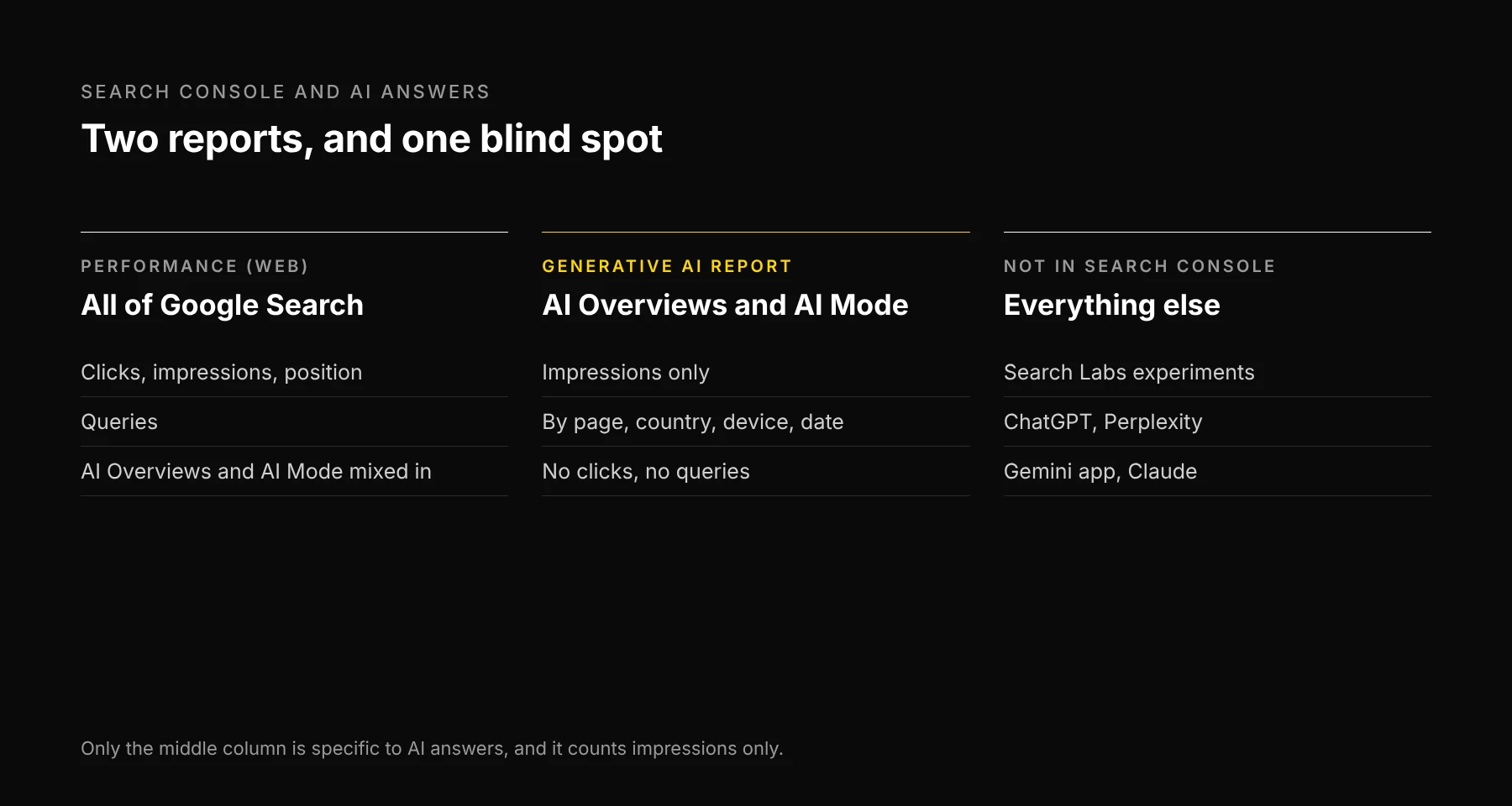
Short answer: Search Console counts AI Overviews and AI Mode in two places. The main Performance report mixes them into "Web", with clicks, impressions and position. The generative AI report splits them out, but shows impressions only: no clicks, no CTR, no position and no queries. So you can see that Google showed your link in an AI answer. You can't see which question it answered or whether anyone clicked.
That gap matters more this month. On October 15, 2026, Google said it is adding more inline links to AI Mode and AI Overviews, placing them higher in responses, and that it will test a section that shows official sites at the top of some answers. More links in AI answers means more of your Search Console numbers come from AI features you can only partly see.
What changed on October 15
Google's post "More ways to connect with the web from Search" (Hema Budaraju, October 15, 2026) listed five changes:
- More inline links in AI Mode and AI Overviews, placed higher in the response.
- A planned test of a section that highlights official sites at the top of some answers.
- News carousels in more locations, highlighting a reader's Preferred Sources.
- Related-article links with thumbnails.
- A test of clickable creator profiles.
Google also said the number of people using Preferred Sources is up more than 7x since the start of 2026. It didn't give the starting number, so treat that as a direction, not a size.
What each report counts
| Performance report ("Web") | Generative AI report | |
|---|---|---|
| Covers | All Google Search, AI Overviews and AI Mode included | AI Overviews and AI Mode only (plus Discover, in its own report) |
| Clicks | Yes | No |
| Impressions | Yes | Yes |
| Position | Yes | No |
| Queries | Yes | No |
| Breakdowns | Query, page, country, device, date, search appearance | Page, country, device, date |
Three rules from Google's help pages explain the numbers you'll see:
- An AI Overview takes one position. Every link inside it reports that same position. If the Overview is the first thing on the page, a link cited fifth inside it still reports position 1.
- In AI Mode, each follow-up question is a new query. Impressions, clicks and position in the new response count against that follow-up, not the first question.
- A click on an external link in either feature counts as a click. It lands in the "Web" totals, mixed with ordinary results.
The generative AI report was announced on June 3, 2026 and, per Google's help page, reached all sites on August 31, 2026. Google also flagged a logging error that lowered its impressions from August 13 to 17, 2026, since restored. If your chart dips in mid-August, that's the reason.
What none of the reports show
- Which question triggered the AI impression. The generative AI report has no query dimension.
- Clicks from AI answers on their own. They exist, but only inside the "Web" totals.
- Search Labs experiments. Google says Search Console doesn't include them.
- Every engine that isn't Google. ChatGPT, Perplexity, the Gemini app and Claude don't report to Search Console. For those you need an AI visibility tracker or a manual audit.
A four-step monthly read
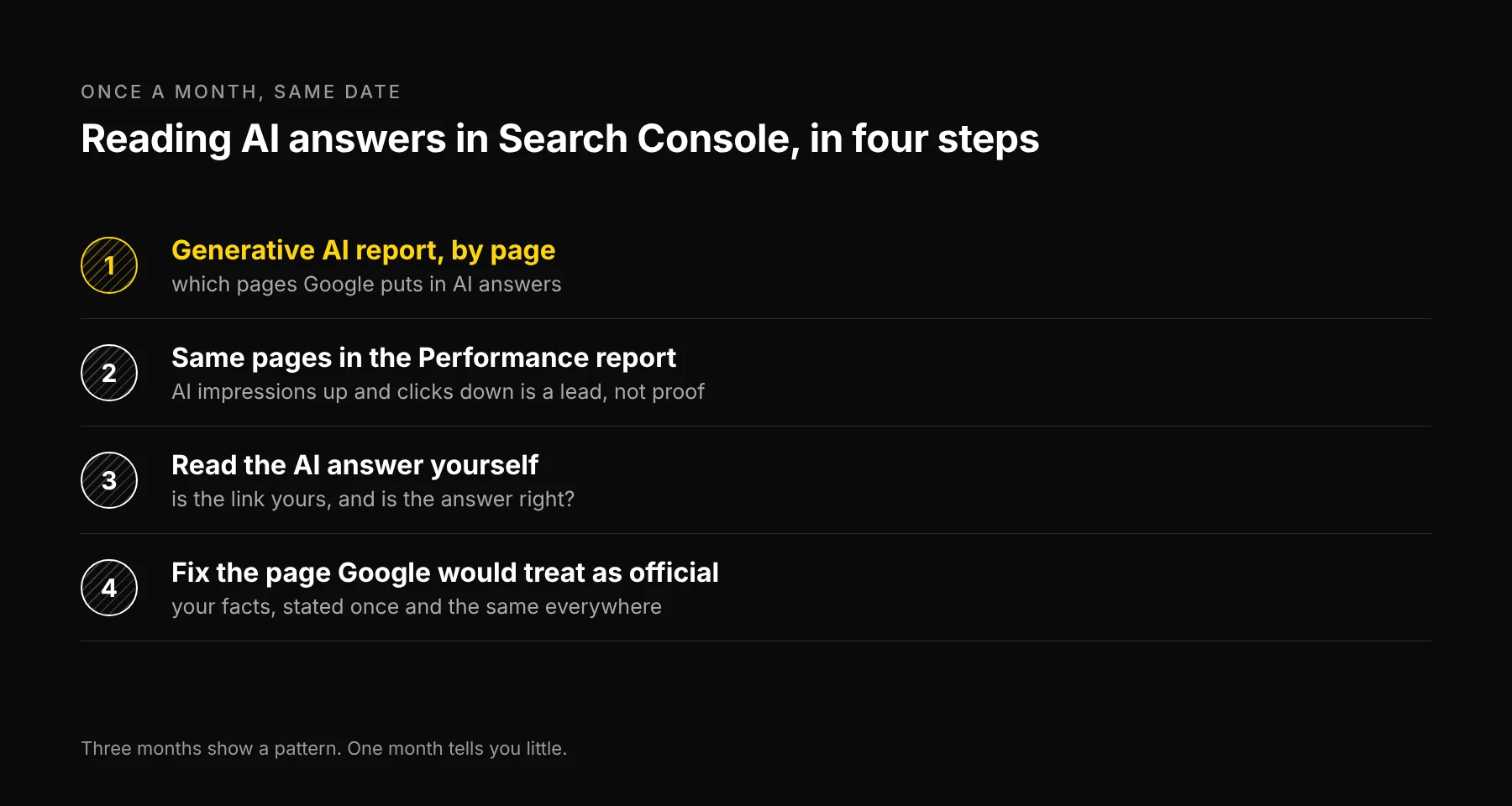
- Start with the generative AI report, by page. List the pages with the most AI impressions. These are the pages Google is putting in AI answers.
- Open the same pages in the Performance report. Compare clicks and impressions month over month. If AI impressions rose and clicks fell on a page, an AI answer may be answering that question for the reader. That's a lead to check, not proof.
- Check what those pages answer. Search the page's top queries yourself and read the AI Overview or AI Mode response. Is your page the link, or a competitor's? Is the answer right about you?
- Fix the page Google would treat as official. With the official-sites test, the page that states your facts most clearly is the one to keep current: product names, prices, locations and policies, stated once and the same everywhere.
Do the read monthly, on the same date. AI answers change from run to run, and the report is new, so one month tells you little. Three months show a pattern.
Where Ezeo fits
Ezeo reads your Search Console and GA4 data next to weekly AI visibility tracking across ChatGPT, Google AI Overviews, Gemini, Perplexity and Claude. That covers the last gap above: the engines that don't report to Search Console. It doesn't add the missing query or click data to Google's AI report, because Google doesn't publish it.
If your Search Console numbers look off for other reasons, seven SEO numbers that lie covers the common traps. For the engines themselves and the crawlers each one needs, see the five AI search engines to optimize for.
Frequently asked questions

Written by
Jose Antonio Mijares
SEO & GEO Expert | Founder at Ezeo