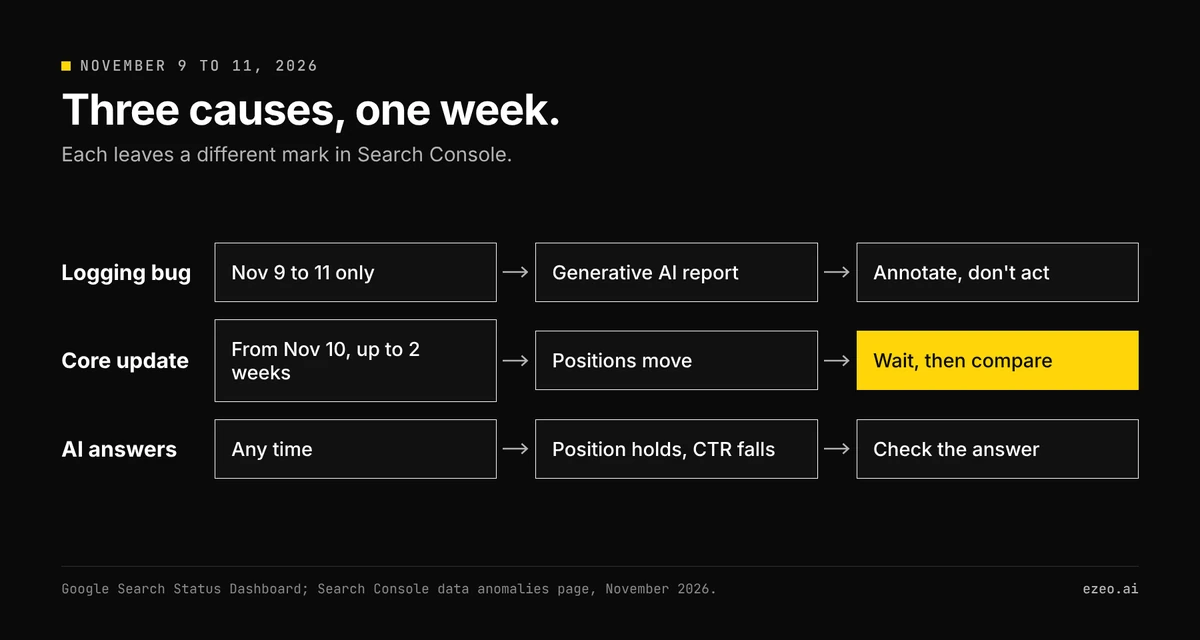
Short answer: Look at where the drop shows up and when it started. A dip that appears only from November 9 to 11, and only in the generative AI report, is a logging bug, so note it and move on. A drop in average position starting November 10 is probably the core update, so wait until it finishes before judging it. If your position held steady while your click-through rate (CTR) fell, an AI answer is likely taking the click, and that is the one you can work on.
Three things happened within a few days of each other this month. That's why so many November charts are hard to read.
What happened, and when
| Date (2026) | What | Where it shows | Source |
|---|---|---|---|
| November 9 to 11 | Logging bug that undercounted impressions | The generative AI report only. Google says logging was affected, not real visibility. | Search Console's data anomalies page, via Search Engine Land |
| From November 10, 18:06 UTC | November 2026 core update, all languages, "may take up to two weeks" | Positions, then clicks and impressions, in the Performance report | Google Search Status Dashboard, via Search Engine Roundtable |
| Any day | AI Overviews and AI Mode answering the question | CTR falls while position holds | Our guide to whether AI Overviews still send clicks |
As of November 23, when we wrote this, Google still hadn't marked the core update complete. As for the generative AI report, this isn't its first logging bug either: Google flagged another one from August 13 to 17, 2026.
How to tell which one hit you
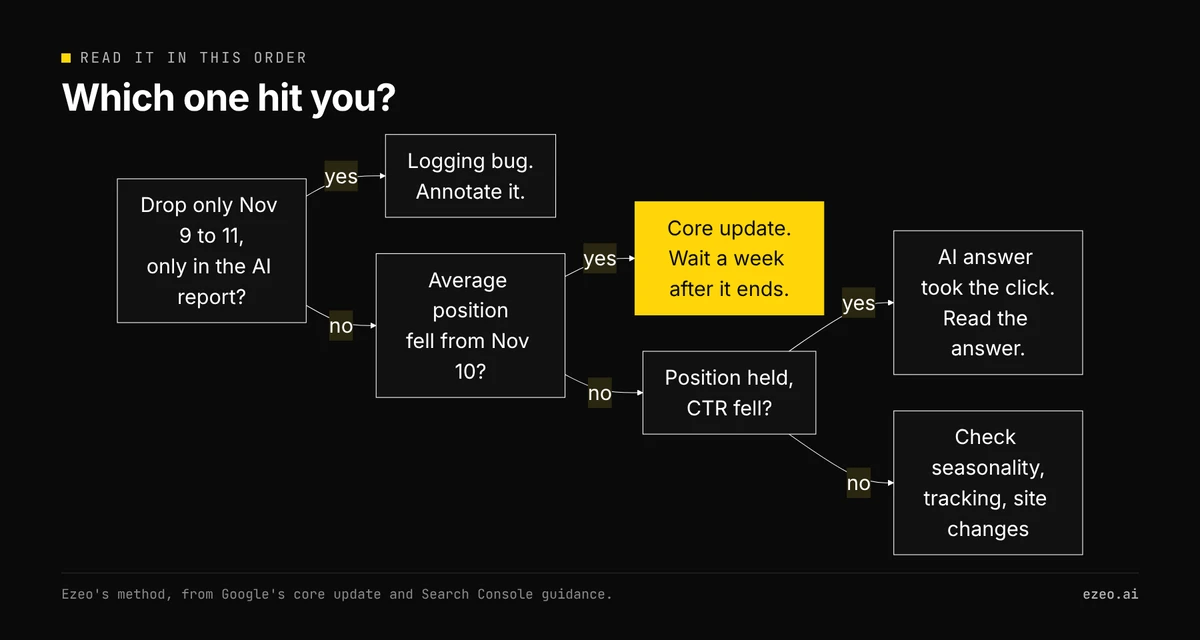
Open Search Console and answer three questions, in this order.
- Did the drop happen only from November 9 to 11, and only in the generative AI report? Then it's the logging bug. Check those same days in the Performance report. If clicks and impressions held steady there, nothing actually changed. Leave a note in your reporting so nobody acts on it in January.
- Did your average position drop across many pages starting November 10? That fits the core update. Google's core updates guide recommends waiting at least a full week after the update finishes rolling out, then comparing that week with a week before it started. Judging the results while the update is still rolling out means reacting to numbers that are still moving.
- Did your position hold steady while clicks and CTR fell? That's the pattern of an AI answer taking the click. Look up the page's main search terms yourself and read the AI Overview or AI Mode answer. If it answers the question completely, the reader has no reason to click.
If none of these three fits, look elsewhere: seasonality (compare with November last year), tracking (an analytics tag or consent setting change), or something you changed on your site.
What to do this week
- Add a note for November 9 to 11 in every report you share. A client who sees a dip in a chart will ask about it whether it's real or not.
- Hold off on rewriting pages for the core update. Google recommends waiting until the update finishes rolling out, because changes made partway through make the before and after much harder to read.
- Start now on the pages losing clicks to AI answers. They don't depend on the core update. Answer the page's main question in the first few lines, include the key facts an AI answer would quote, and check that the answer cites you, not a directory.
- Read the two reports together. The Performance report has clicks; the generative AI report has only impressions. How to read Search Console now that AI answers show your links explains what each one counts.
Where Ezeo fits
Ezeo reads your Search Console and GA4 data so you can see any dip right next to the pages and search queries behind it. It doesn't detect Google's logging bugs on its own, so keep the dates above in your notes. For AI answers, track AI Mode and AI Overviews separately, since they often cite different pages.
Frequently asked questions