
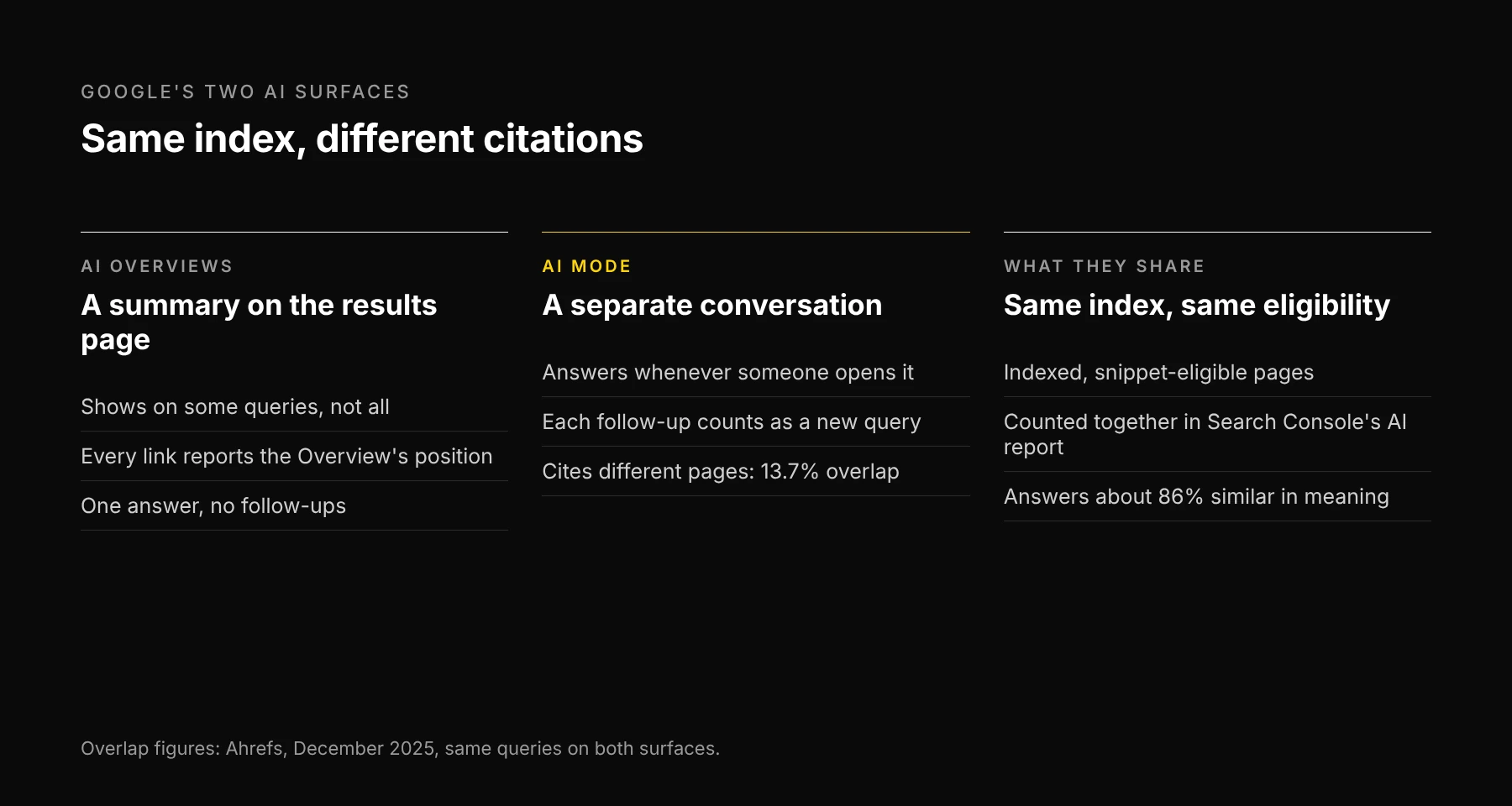
Short answer: AI Mode and AI Overviews are both Google Search features, built from the same index, but they rarely cite the same pages. Ahrefs compared the two on the same queries and found only 13.7% of cited URLs in common, even though the answers meant nearly the same thing. Checking one tells you little about the other, so track them as two surfaces.
What's the same
Both run on Google Search. A page has to be indexed and eligible to show a snippet to be used in either one, and Google says there is no special markup or AI file that gets you in. The SEO work that makes a page eligible covers both.
Both also report to Search Console in the same places. Clicks and impressions from either one land in the Performance report under "Web", and the generative AI report shows impressions for AI Overviews and AI Mode together. We couldn't find a way to separate the two in Search Console. Our Search Console walkthrough covers what each report counts.
What's different
Google's own documentation says AI Mode and AI Overviews may use different models and techniques, so the responses and links they show will vary. The data agrees:
- Different pages. Ahrefs' study of the two surfaces (December 2025) found 13.7% overlap in cited URLs for the same query.
- Similar answers. The same study measured about 86% semantic similarity between the answers. The two surfaces mostly say the same thing, with different sources behind it.
- Different triggers. An AI Overview appears on some searches and not others. AI Mode answers whenever someone opens it.
- Different counting. An AI Overview takes one position on the results page, and every link inside it reports that position. In AI Mode, each follow-up question is a new query, with its own impressions and clicks.
How to track both
Use the same question panel on both surfaces and log them as separate rows.
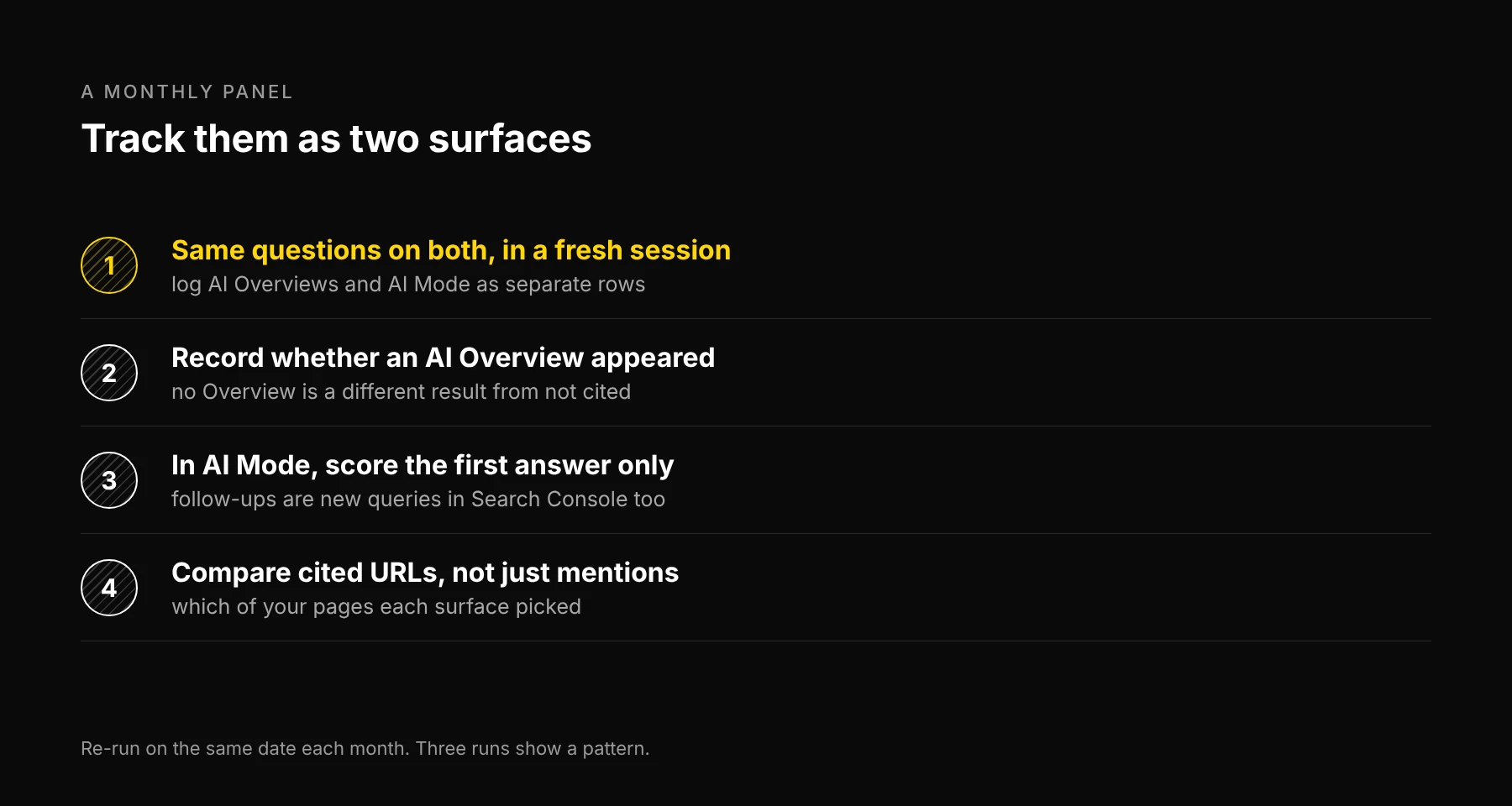
1. Same questions, fresh session, two rows. Run each question in a regular search and in AI Mode, signed out or in a fresh session. Write the results on two rows, never one.
2. Record whether an AI Overview appeared. "No Overview on this query" and "an Overview that didn't cite us" are different results. Merging them makes your citation rate wrong.
3. Score AI Mode's first answer. Follow-ups depend on what the person asks next. Score the first response so runs stay comparable.
4. Compare cited URLs. For each question, note which of your pages each surface cited, if any. Two surfaces citing two different pages of yours tells you which page each one treats as the answer. That's often the page to strengthen.
Re-run the panel monthly on the same date. AI answers change from run to run, so one result is an observation, and three months are a pattern.
Where Ezeo fits
Ezeo tracks ChatGPT, Google AI Overviews, Gemini, Perplexity and Claude weekly. It doesn't run AI Mode as its own surface yet, so for AI Mode use the manual panel above. Ezeo also reads your Search Console data, which covers both surfaces together. For the full manual audit across engines, see how to audit your brand's AI visibility.
Frequently asked questions
Written by
Jose Antonio Mijares
SEO & GEO Expert | Founder at Ezeo