
Short answer: Muse, Meta's personal AI agent, has been available in Mexico since November 5, 2026, the first country in Latin America to get it. Unlike a chatbot, it does the task: it searches products, fills carts and books things from its own virtual computer, then asks the person before it pays. It reaches a handful of partner brands through connectors and every other store through its browser. That second path is the one you control, so make your pages readable to it.
What launched
Muse is in Spanish, for adults 18 and over, on iOS, Android and muse.ai, and the basic plan is free (Infobae, Expansión). Mexico came after the United States, Canada, Japan and Singapore.
Each user gets a virtual computer with its own browser, where Muse works and keeps working after the app is closed (El Universal). In Mexico it connects to Gmail, Google Calendar and Instagram, and to seven brands: Cinépolis, Coppel, Despegar, Kavak, Kueski, Liverpool and Rappi. Meta says the brand connectors roll out gradually.
A separate system Meta calls Sentinel decides whether each action is allowed, blocked or sent to the person for approval (Axios). Sending an email or completing a purchase asks first.
How Muse reaches a store
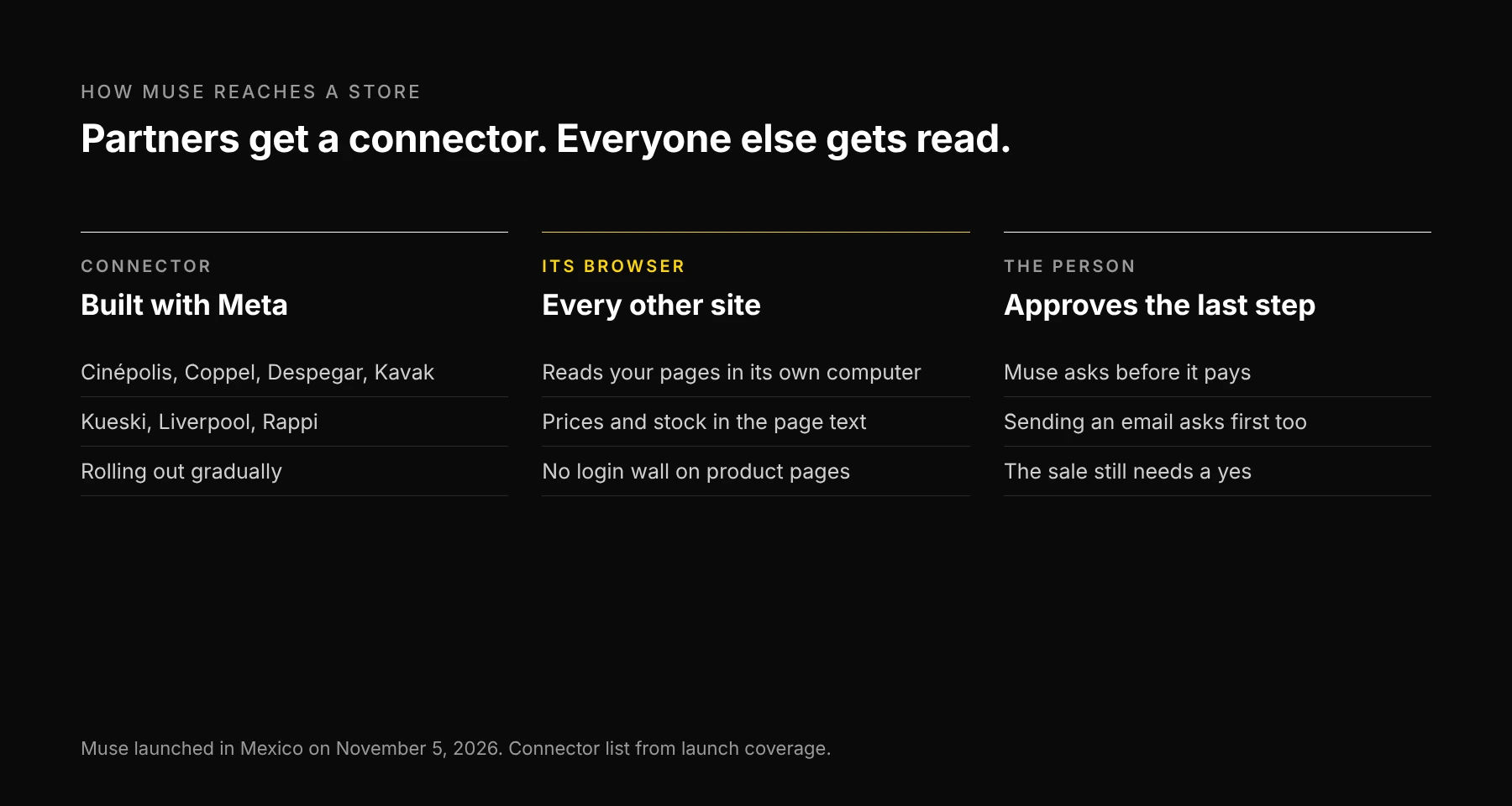
There are two doors:
- A connector. The seven partner brands have one, built with Meta. That's a commercial deal, not something you optimize your way into.
- Its browser. Every other store is reached the way a person would reach it: Muse opens your pages in its own computer and reads them. Meta describes that computer as an isolated Linux machine with a browser (Meta).
Then a person approves the last step. Your page has already been read, compared and summarized by then.
Meta hasn't published how Muse picks which sites to open or which search results it uses, so we won't guess. What's certain is that when it does open your page, it reads text.
Make your store readable to an agent
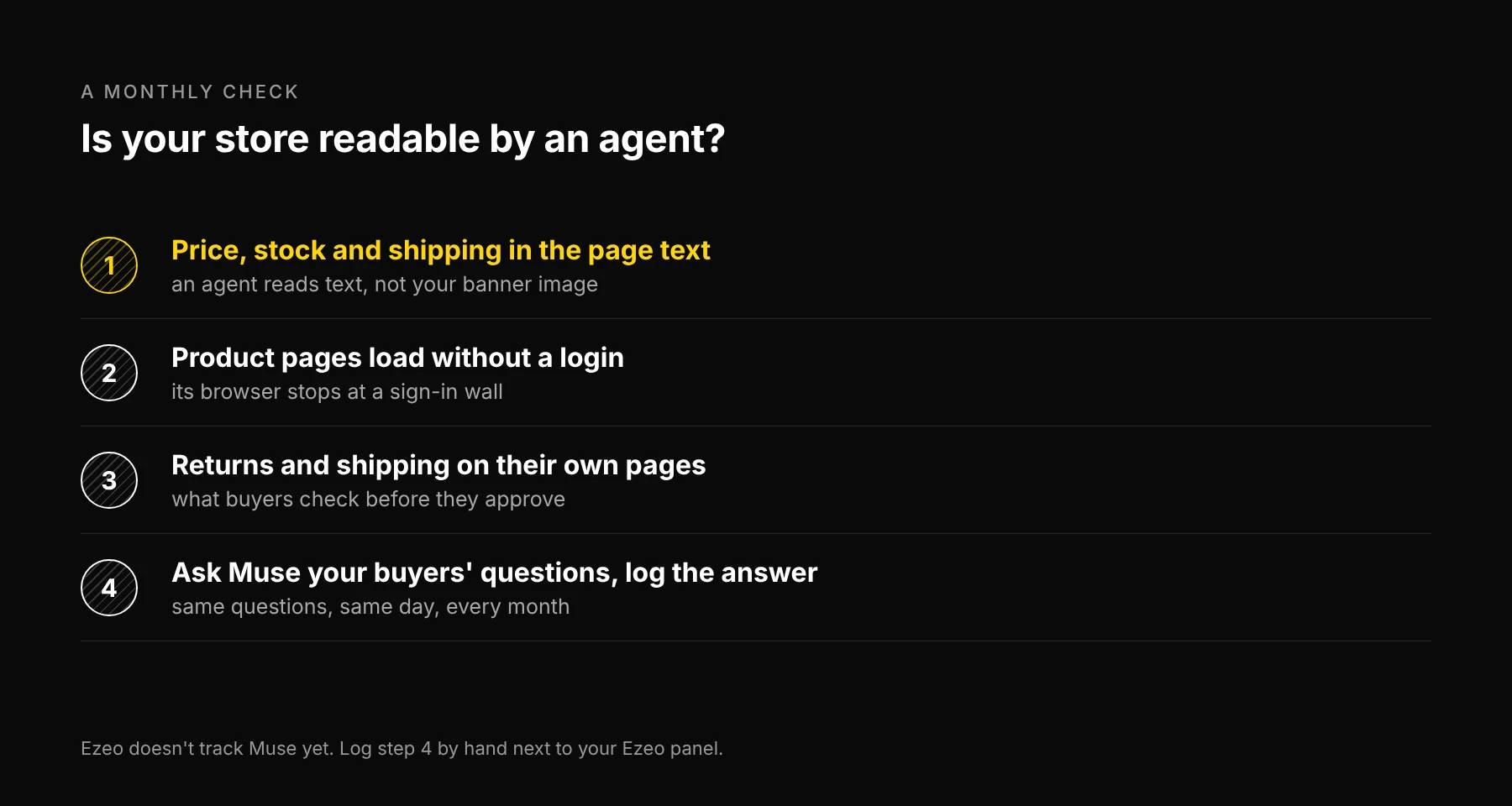
1. Price, stock and shipping in the page text. A price inside a banner image, or a delivery time that only appears after a chat widget loads, is invisible to a reader that works from text. Put them in the HTML.
Structured data is the other place an agent can read them, and it is not always complete: in Ezeo's Shopify AI Readiness Index 2026, 14% of the 1,407 Shopify product pages checked in November 2026, one per store, did not state both price and availability there.
2. Product pages load without a login. Muse's browser can sign in to services you connect, but a store it reaches without a connector is a stranger's site. A sign-in or age wall in front of the product stops it.
3. Returns and shipping on their own pages. These are what people check before they approve a purchase. A plain page with the rules in text, linked from the product, answers the question before it's asked. The same work helps every AI answer engine, which we covered in GEO for Shopify stores.
4. Ask Muse your buyers' questions. Install it on a test account and ask what a customer would ask: "where can I buy X in Monterrey with delivery tomorrow?" Write down whether it named you, which page it opened, and what it said about price and stock. Repeat with the same questions on the same day each month.
Installing it to run the check
- Download "Muse" from the App Store or Google Play, or open muse.ai. Check that the publisher is Meta.
- Sign in on a test account, not the one with your clients' email in it, and confirm you're 18 or older.
- Don't connect Gmail for this. The check needs only the browser.
- Keep purchases on "ask every time". Never choose "always allow" for payments.
Meta says you can inspect and download Muse's files, including its memory about you. Clear what the test account learns between runs, so one month's answers don't steer the next.
Where Ezeo fits
Ezeo checks ChatGPT, Perplexity and Google AI Overviews every week. It doesn't track Muse or any Meta surface yet, so log step 4 by hand next to your Ezeo panel. The page-level fixes in steps 1 to 3 are the same ones Ezeo's audits flag for every answer engine. For the full manual audit across engines, see how to audit your brand's AI visibility.
Frequently asked questions