
Key Takeaways
- Shoppers now ask AI assistants which product to buy, and the assistant names a few stores. GEO for Shopify is the work of being one of them.
- Assistants can only recommend what they can read and verify: clear product facts, consistent prices, honest availability, and pages that answer buying questions.
- Collection pages and buying guides do more for AI visibility than product pages alone, because they answer the comparison questions shoppers ask.
- Several Shopify defaults create noise that looks like SEO problems but is not, such as duplicate descriptions on paginated collections. Know which issues are real before you fix anything.
- Check what your store actually serves, including the structured data your theme and apps inject. Templates can look right and still publish broken markup.
Definition: GEO (generative engine optimization) for Shopify is the practice of making a Shopify store's products, collections and content easy for AI assistants such as ChatGPT, Perplexity, Gemini, Claude and Google AI Overviews to find, understand, trust and recommend when a shopper asks what to buy.
Why AI Assistants Matter for Shopify Stores
A shopper who asks "what's the best wet-dry vacuum for cleaning gutters from the ground" is no longer always typing it into Google and opening five tabs. Increasingly they ask an assistant, read one answer, and click on whichever store it names. If the answer names your competitor, you lost the sale before the shopper ever saw your store, and nothing in Shopify Analytics will tell you it happened.
This matters most for the stores that sell considered purchases: equipment, specialty goods, anything with specs, sizes or trade-offs. Those are exactly the questions people now hand to an assistant, because the assistant will do the comparison for them.
What an Assistant Needs From Your Store
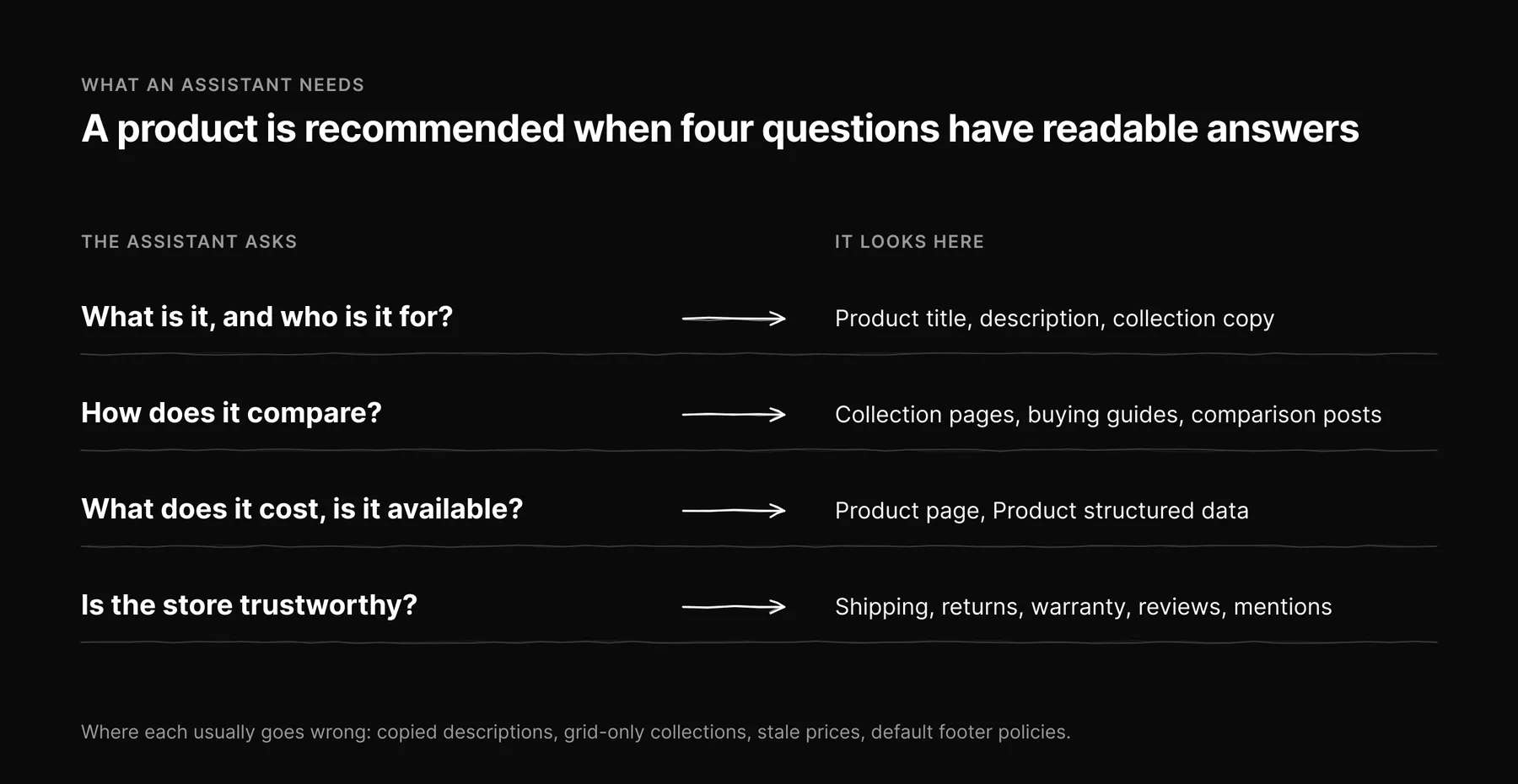
An assistant that searches the web while it answers behaves like a very fast, very literal researcher. It will recommend a product when it can answer four questions from pages it can read.
| The assistant needs to know | Where it looks on a Shopify store | What usually goes wrong |
|---|---|---|
| What the product is and who it is for | Product title, description, collection page copy | Descriptions copied from the manufacturer, identical to every other reseller |
| How it compares | Collection pages, buying guides, comparison posts | Collections that are a grid of products with no words on the page |
| What it costs and whether it is available | Product page, Product structured data | A blog post quoting an old price; sold-out items still recommended in guides |
| Whether the store is trustworthy | Shipping, returns and warranty pages, reviews, third-party mentions | Policies that exist only in the footer as default Shopify templates |
Seven Steps to Get Your Products Named
1. Write product descriptions an assistant can quote
Open each important product description with one or two sentences that say what it is, who it is for, and the one fact that sets it apart. Then give the specs as a list or table: dimensions, capacity, materials, compatibility, what is in the box. Specs in a table are easy for an engine to extract and cite accurately. Specs buried in a paragraph of marketing copy are not.
If you resell products that other stores also carry, the manufacturer's description is the one thing you are guaranteed to share with every competitor. Add what only you know: which customers buy it, what they use it for, the question your support team answers about it every week.
2. Turn collection pages into answer pages
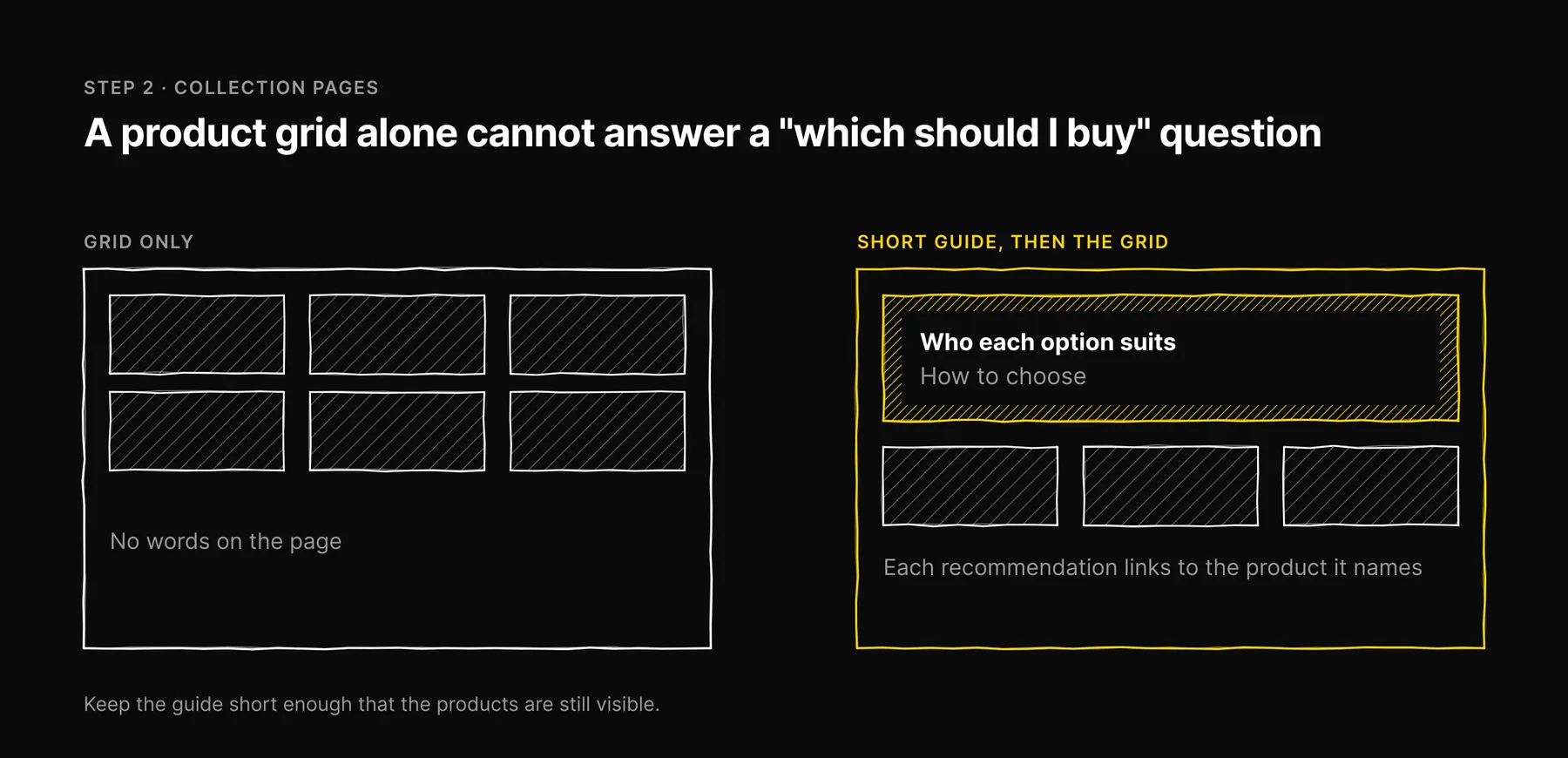
Most "best" and "which should I buy" questions are really collection questions. A collection page with a short, honest guide at the top, covering who each option suits and how to choose, can answer the question the shopper asked the assistant. A collection page with only a product grid cannot. Keep the guide short enough that the products are still visible, and link each recommendation to the product it names.
3. Publish buying guides that answer real questions
Your blog is where you can answer the comparison and how-to questions that do not fit on a product page. Base topics on the questions shoppers actually ask: your Search Console queries, your support inbox, your reviews. Put the answer at the top of each section, link to the products that solve the problem, and keep every price and spec in the guide consistent with the product page.
Consistency is harder than it sounds. In our own work producing articles for Shopify stores, the failure that worried us most was not a wrong fact but a stale one: a price that was correct when a product sheet was captured and out of date by the time the article went live. It passes every check along the way, because nothing checks it against today's store. If you quote prices in content, re-read them from the live product before you publish, or link to the product and let the page state the price.
4. Be honest about availability
An assistant that recommends a sold-out product sends a shopper to a dead end, and the next time it has a choice, it has a reason to prefer a store where the answer was reliable. Keep Product structured data accurate for availability, and when a product in a buying guide is discontinued or out of stock for a long period, update the guide to name the alternative.
5. Check the structured data your store actually serves
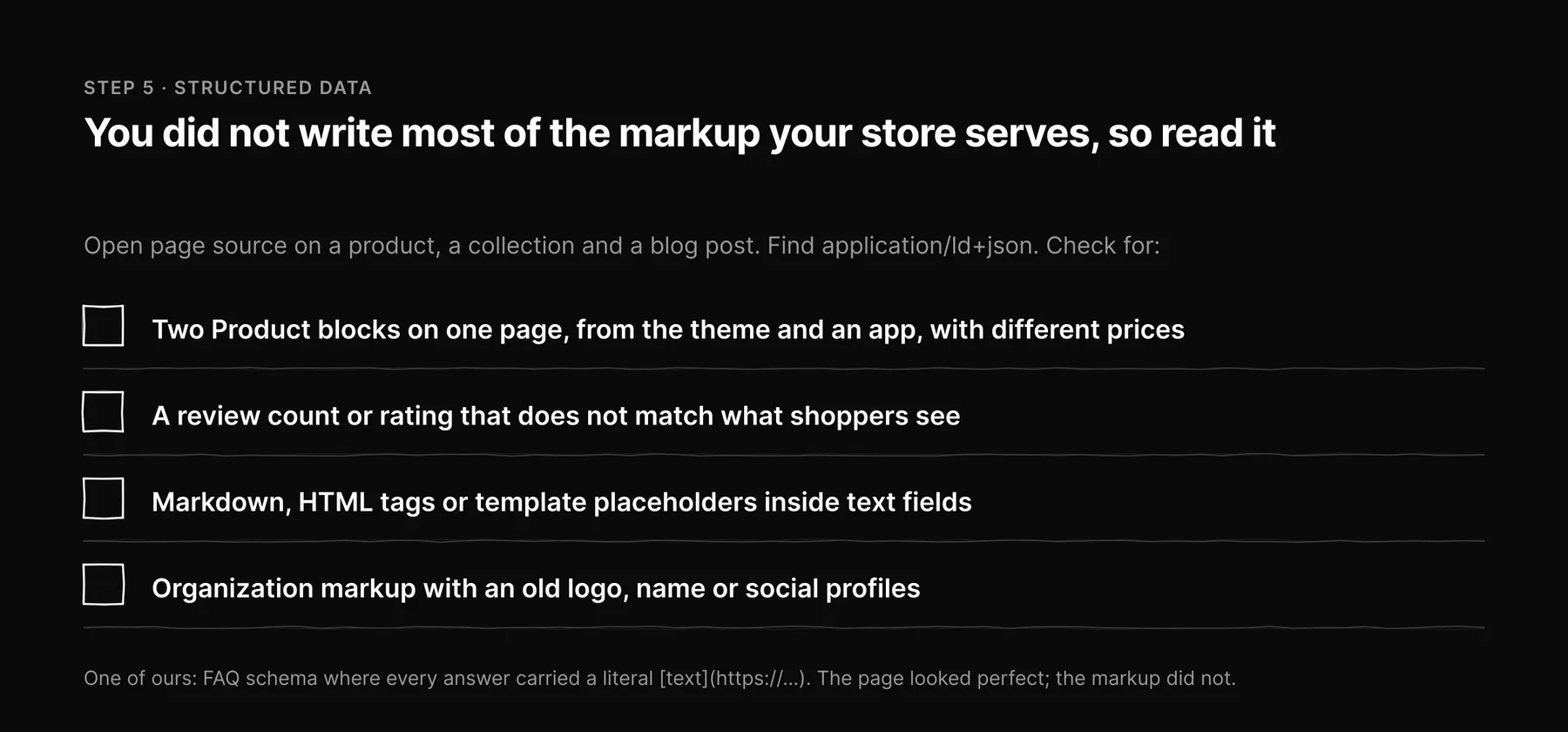
Shopify themes and apps add structured data automatically: Product, Organization, BreadcrumbList, sometimes FAQPage and review markup. You did not write most of it, which means nobody on your team has read it. Open the page source on a product, a collection and a blog post, find the application/ld+json blocks, and read them.
We recommend this because we have been caught by it. Our own content pipeline once produced FAQ schema where every answer carried a raw markdown link, literal [text](https://…), inside a field that is supposed to be plain text. The page looked perfect. The markup did not, and no automated gate noticed until we read the rendered output. Common problems to look for:
- Two different Product blocks on one page, from the theme and from an app, with different prices.
- A review count or rating in the markup that does not match what shoppers can see.
- Markdown, HTML tags or template placeholders inside text fields.
- Organization markup with an old logo, name or social profiles.
6. Let AI search crawlers read your store
Shopify's default robots.txt is sensible, but apps, CDN rules and bot-protection services can block the crawlers assistants use at answer time, such as OAI-SearchBot for ChatGPT search and PerplexityBot. Check that product, collection and blog URLs are reachable for them. Decide separately, and on purpose, whether to allow training crawlers such as GPTBot.
An llms.txt file that points to your key collections, best-selling products and buying guides is a low-effort addition. Shopify does not let you upload arbitrary files to the root of your domain, so check whether your theme or an app can serve it before you plan around it.
7. Earn mentions where shoppers compare
Assistants trust products that independent sources discuss. That means reviews on your store and on the platforms your category uses, honest coverage in niche publications, and presence in the forums and communities where your buyers ask for advice. Make it easy for happy customers to leave reviews, and respond to the critical ones in public.
Shopify SEO Noise You Can Ignore
A lot of SEO audit output on Shopify stores is technically true and practically meaningless. Before you spend time fixing an issue, check whether it is a real problem or an artifact of how Shopify builds URLs.
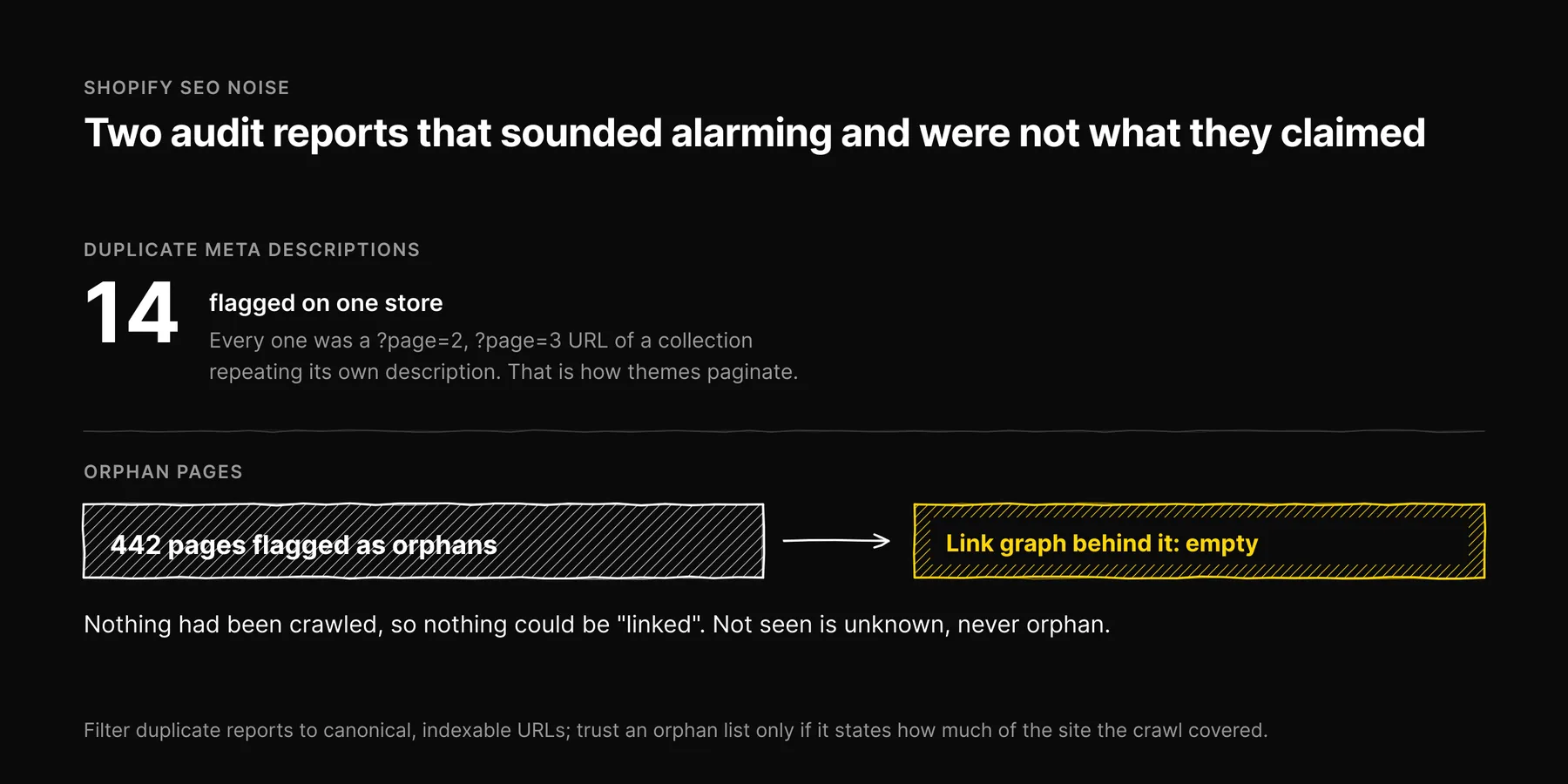
- Duplicate meta descriptions on paginated collections. When we ran a full crawl on one Shopify store, it reported 14 duplicate meta descriptions. Every one was a
?page=2,?page=3URL of a collection repeating the collection's own description. That is how Shopify themes paginate collections, and it is not the duplicate-content problem the report implies. Filter duplicate reports to canonical, indexable URLs before you read them, and whatever is left is worth your time. - Products reachable under several URLs. Shopify serves a product at
/products/handleand inside collection paths such as/collections/name/products/handle, with a canonical pointing to the first. That is expected. - "Orphan page" reports from incomplete crawls. An orphan is a page nothing links to. You can only know that from a crawl that covered the whole site. We once saw a report flag all 442 of a store's pages as orphans, because the link graph behind it was empty, not because the pages were unlinked. Nothing had been crawled, so nothing could be "linked". Treat "not seen" as unknown, never as orphan, and only trust an orphan list that tells you how much of the site the crawl covered.
- A guessed blog URL returning 404. Shopify blog posts live under
/blogs/blog-handle/article-handle, and the handle is not always the title. Before you conclude a post is missing, find it from your store's blog index.
How to Measure GEO for a Shopify Store
Measure the questions, not the pages. Write 20 to 50 questions a shopper would ask an assistant about your category: "best X for Y", "X vs Y", "is X worth it", "where to buy X". Ask each one on ChatGPT, Claude, Gemini, Perplexity and Google, and record for each answer whether your store was mentioned, whether one of your pages was cited, which competitors were named, and the date.
Keep those four facts separate and dated. A single blended score will hide the surface where you are missing, and a result without a date becomes a claim about today that nobody checked. For more on reading those results, see what an AI visibility score actually measures.
How Ezeo Helps Shopify Stores
Ezeo's Shopify app starts with a free SEO and GEO audit of your storefront, and the audit stays free. Ezeo Pro, at $59 a month or $590 a year with a 7-day trial managed through Shopify, adds Shopify catalog sync, your own Search Console, GA4 and Clarity connections, and reviewed content workflows, so nothing is written to your store without a person approving it first. On the full Ezeo platform, Ezeo also asks the five AI surfaces the questions your shoppers ask and keeps each answer with the date it was measured.
You can install the app from the Ezeo Audit page or book a call to see it on your store.
Frequently asked questions

Written by
Jose Antonio Mijares
SEO & GEO Expert | Founder at Ezeo