
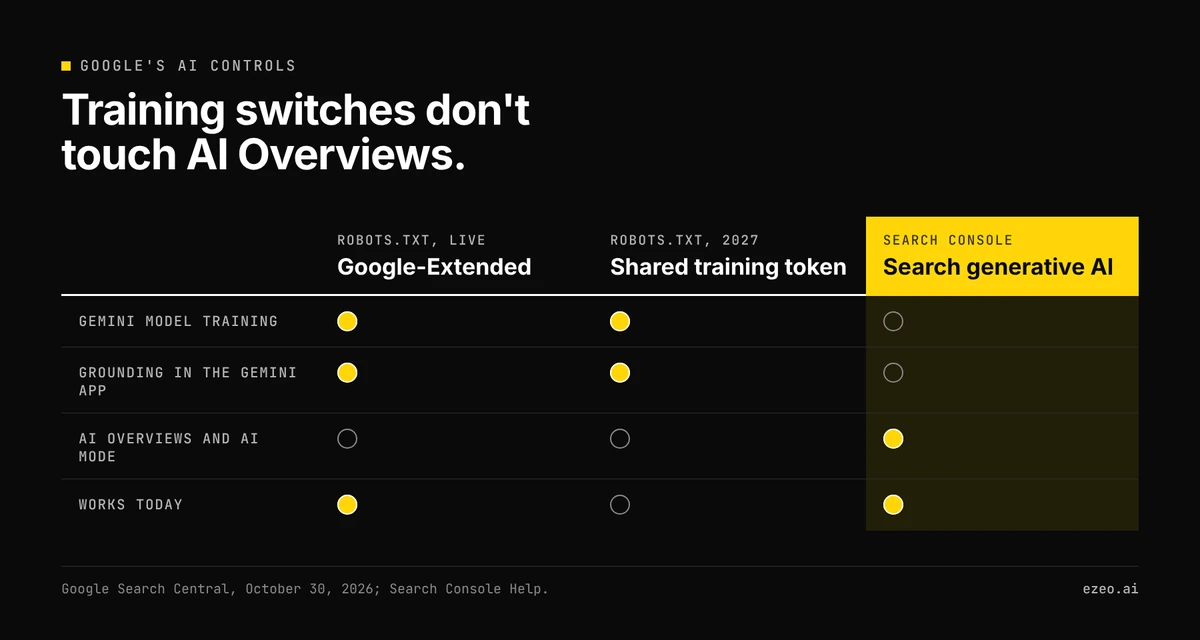
Short answer: They control different things. Google-Extended and the new shared training token, which Google says it will support in 2027, keep your pages out of Gemini's training and out of grounding in the Gemini app. Neither one takes you out of AI Overviews or AI Mode. That's a different switch, in Search Console. And none of the three removes you from Google Search.
Google announced the shared token on the Search Central blog on October 30, 2026. Here is where each control stands.
The four controls, side by side
| Control | Where you set it | What it keeps your pages out of | What it doesn't touch | Works today? |
|---|---|---|---|---|
| Google-Extended | robots.txt | Gemini model training, and grounding in the Gemini app | Google Search, AI Overviews, AI Mode, rankings | Yes, since 2023 |
| Shared AI-training token | robots.txt | AI training. Google will read it as a Google-Extended disallow if you don't name Google-Extended | Google Search, AI Overviews, AI Mode | No. Google aims for 2027 |
| "Search generative AI" setting | Search Console, Settings | AI Overviews, AI Mode and Discover's AI features | The Gemini app, AI training, ordinary results | Yes, all sites since August 31, 2026 |
| nosnippet / noindex | Page meta tags | nosnippet: text shown in snippets and Google's AI answers. noindex: Google Search entirely | AI training | Yes |
What changed on October 30
Google said it plans to support a cross-provider opt-out from the IETF's AI Preferences working group. One robots.txt rule would tell several AI companies not to train on a site. Per Search Engine Journal, Microsoft and OpenAI also plan to honour it.
Three details matter before you touch your file:
- It isn't live. Google's own crawler documentation still lists Google-Extended as the working control. Keep your Google-Extended rule if you have one.
- The syntax isn't final. The token comes from an IETF draft, not a finished standard. Wait for Google's documentation before you add the new line.
- robots.txt governs crawling, not use. Google's Gary Illyes has said so (SEJ). A rule stops future fetching; it doesn't pull pages out of anything already trained.
Which switch for which goal
- "I don't want my content training AI models." Use Google-Extended today, and add the shared token once Google documents it. Your Search traffic doesn't change.
- "I don't want Google's AI answers to use my pages." Use Search Console's "Search generative AI" setting on the property. It applies to the whole property; a folder can have its own setting through a URL-prefix property. The one public test of it cost the site clicks from ordinary results too: see whether AI Overviews still send clicks.
- "Keep one passage out of answers." Use
data-nosnippeton that element. The rest of the page can still appear. - "Take the page out of Google." Use
noindex. That removes it from Search, AI answers included.
An llms.txt file is none of these. It's documentation for AI tools, not a control; see what llms.txt does and doesn't do.
Before you flip one
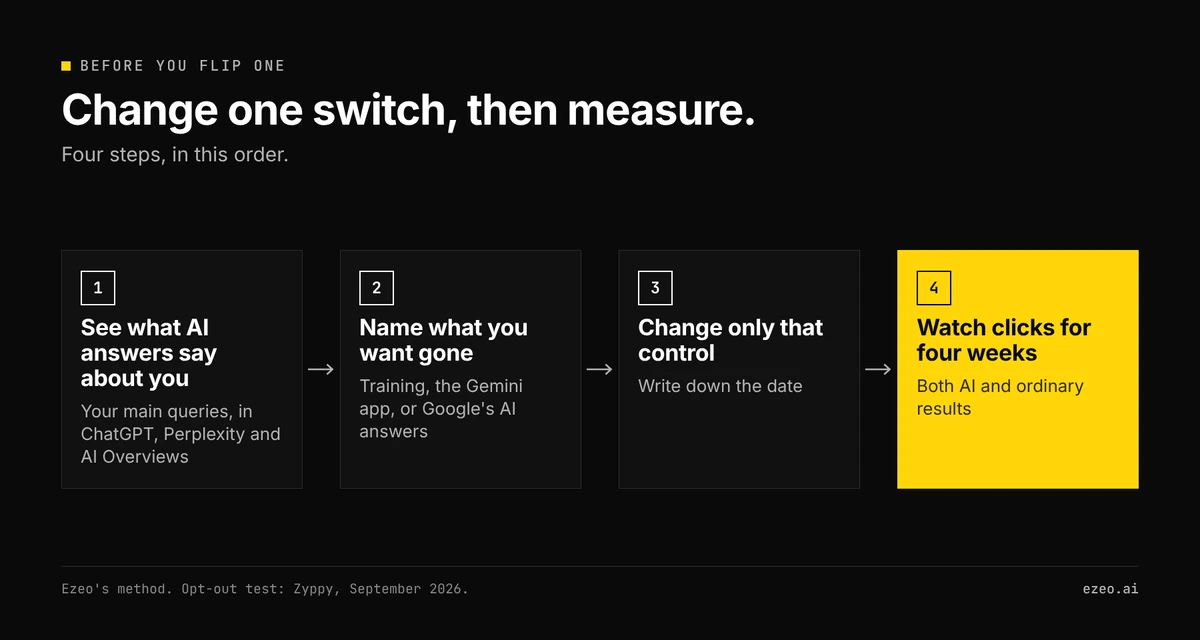
- See what AI answers already say about you for your main queries. Ezeo checks ChatGPT, Perplexity and Google AI Overviews for brand mentions.
- Name what you want gone: training, the Gemini app, or Google's AI answers. Each one has a different switch.
- Change only that control, and write down the date.
- Watch clicks for four weeks: clicks from AI answers and from ordinary results. Search Console's AI report counts impressions only, so compare the pages it lists against the rest.
For most businesses that sell a product or a service, the useful work is making the answer about you correct, not leaving it. AI Mode and AI Overviews cite different pages, so check both.
Frequently asked questions