
Short answer: Yes, Claude can now join your meetings. Anthropic opened Claude Meetings in beta on November 12, 2026. You add Claude to a Google Meet call, it joins as a visible participant, answers questions in the chat, takes the notes and builds docs and whiteboards while the team keeps talking. It's rolling out on Team and Enterprise plans, and Google Meet is the only platform for now.
Everything here comes from Anthropic's announcement and the Help Center guide, both from November 12, 2026. It's a beta, so check them before relying on a detail.
What Claude does in the call
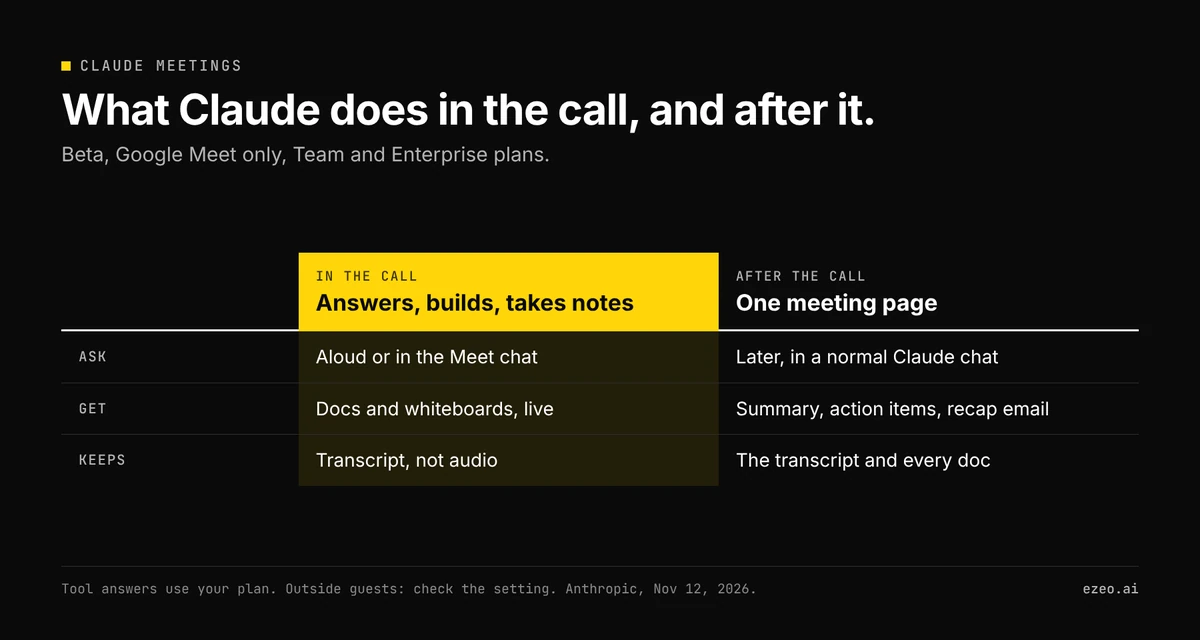
It answers. Say "Claude" and ask, or type in the Meet chat. By default it answers in writing in that chat, which everyone on the call can read.
It builds while you talk. "Claude, make a doc" or "Claude, make a whiteboard". Teammates on the invite can edit it during the call.
It uses your connected tools, with your permission. Each person's own tools, after that person says yes the first time. When someone asks out loud, Claude confirms who's speaking each time, for now.
It takes the notes. After the call, a meeting page in Claude holds the summary, action items, transcript and everything Claude made, and people from your organization on the invite get a recap email. It keeps a transcript, a summary and descriptions of what was on screen, not audio.
What it costs. During the beta, notes, transcripts and answers are included on Team and Enterprise. An answer that uses a connected tool counts toward your plan's usage. Docs and whiteboards made in a call are free through February 10, 2027.
A meeting worth giving it: the monthly search review
The meeting where people argue about why traffic moved is a good first test. It has a fixed shape, it ends in decisions, and the hour after it usually goes to writing up what was agreed.
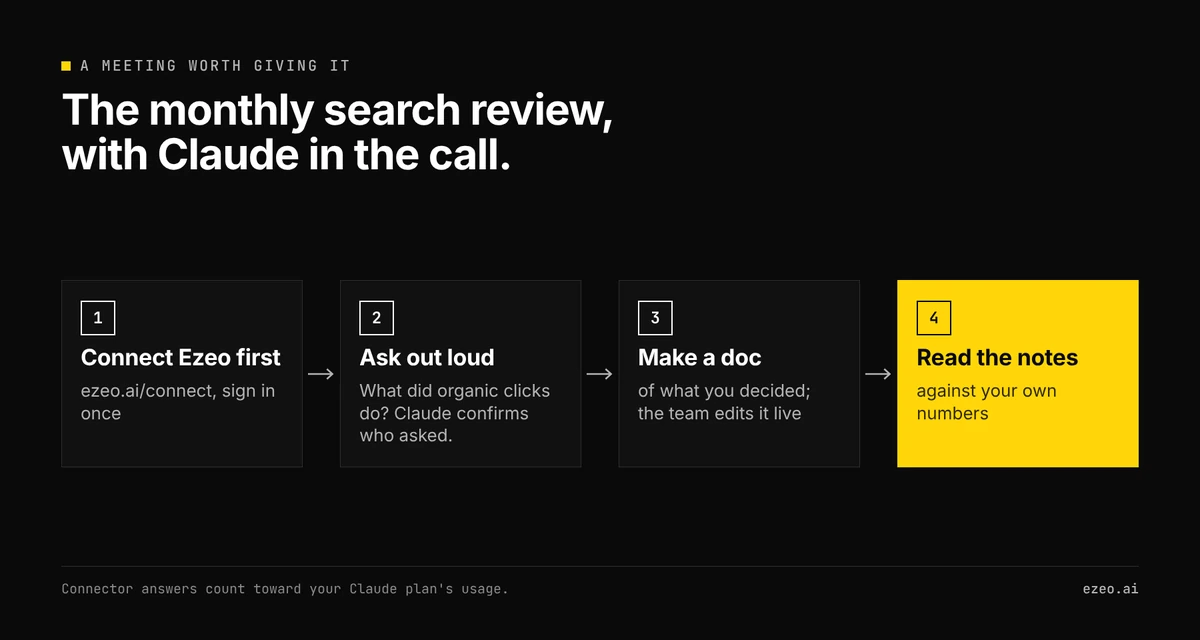
- Connect your search data to Claude before the call. If you use Ezeo, add it as a connector from ezeo.ai/connect and sign in once. Claude Meetings can use each person's connected tools during a call, so the person who connected Ezeo can ask about their projects. We haven't run Ezeo inside a live Meetings call yet, so treat that as how it should work, not as tested.
- Ask out loud, one question at a time. "Claude, what did organic clicks do this month against last month?" Claude confirms who asked, asks permission the first time it uses that person's connector, and posts the answer in the chat.
- Have it write the decisions down. "Claude, make a doc of what we decided and who owns each item." The team edits it while you talk.
- Check the notes against your own numbers. The meeting page keeps the transcript and the doc. A summary is a summary; the report is the source.
Settings to decide before a client call
Consent. Anthropic's own instruction: make sure everyone is OK with being transcribed before you add Claude or turn on auto-join.
Outside guests. Claude can stay out of calls with people from outside your organization and leave if one joins, another company's notetaker included. On Enterprise that's the default; the Help Center says Team plans allow outside guests by default, so check yours. With guests allowed, Claude takes notes but doesn't reply in the call's chat.
Where the numbers go. Anything Claude posts in the Meet chat is visible to everyone on the call. The chat on the meeting page stays inside your organization. Ask about client numbers there.
Members' connectors. An owner decides whether Claude can use members' connected tools in meetings at all.
Does Ezeo track what Claude says about your brand?
Not today. Claude Meetings is about how your team works. Whether an assistant recommends you when a customer asks is AI visibility: Ezeo's plans check ChatGPT and Perplexity, plus Google's AI Overviews, every week, and Claude is not one of the engines they check today. For how those answers turn into visits, see whether AI Overviews still send clicks.
Frequently asked questions