Short answer: Turning on OXXO changes your checkout. It doesn't change what Google or an AI assistant knows about your store. They learn which payments you accept from pages they can read: product pages, an FAQ, a payments page, your profiles. Your checkout isn't one of them. If no crawlable page says "pay cash at OXXO", an answer to "does this store take OXXO?" has to guess.
What changed
Shopify Payments in Mexico now lists OXXO as a payment method. The customer checks out, gets a barcode and pays cash at an OXXO store. Per Shopify's Help Center, as of October 2026:
- The store must be in Mexico, on a Shopify Payments Mexico account, with identity verification done and an eligible business category.
- The customer pays in pesos, and the amount paid at OXXO is from 10 to 10,000 MXN.
- The barcode is valid for 5 days. The order shows Payment pending until the payment is confirmed, which can take up to 3 business days after the customer pays.
- An OXXO payment can't be refunded to the original method: refunds go out as store credit or a transfer.
Shopify hasn't published a launch date we could find. Jamak's guide covers turning OXXO on and running the pending orders. This post is about the other half: making sure people find out before they reach checkout.
Where answers learn what you accept
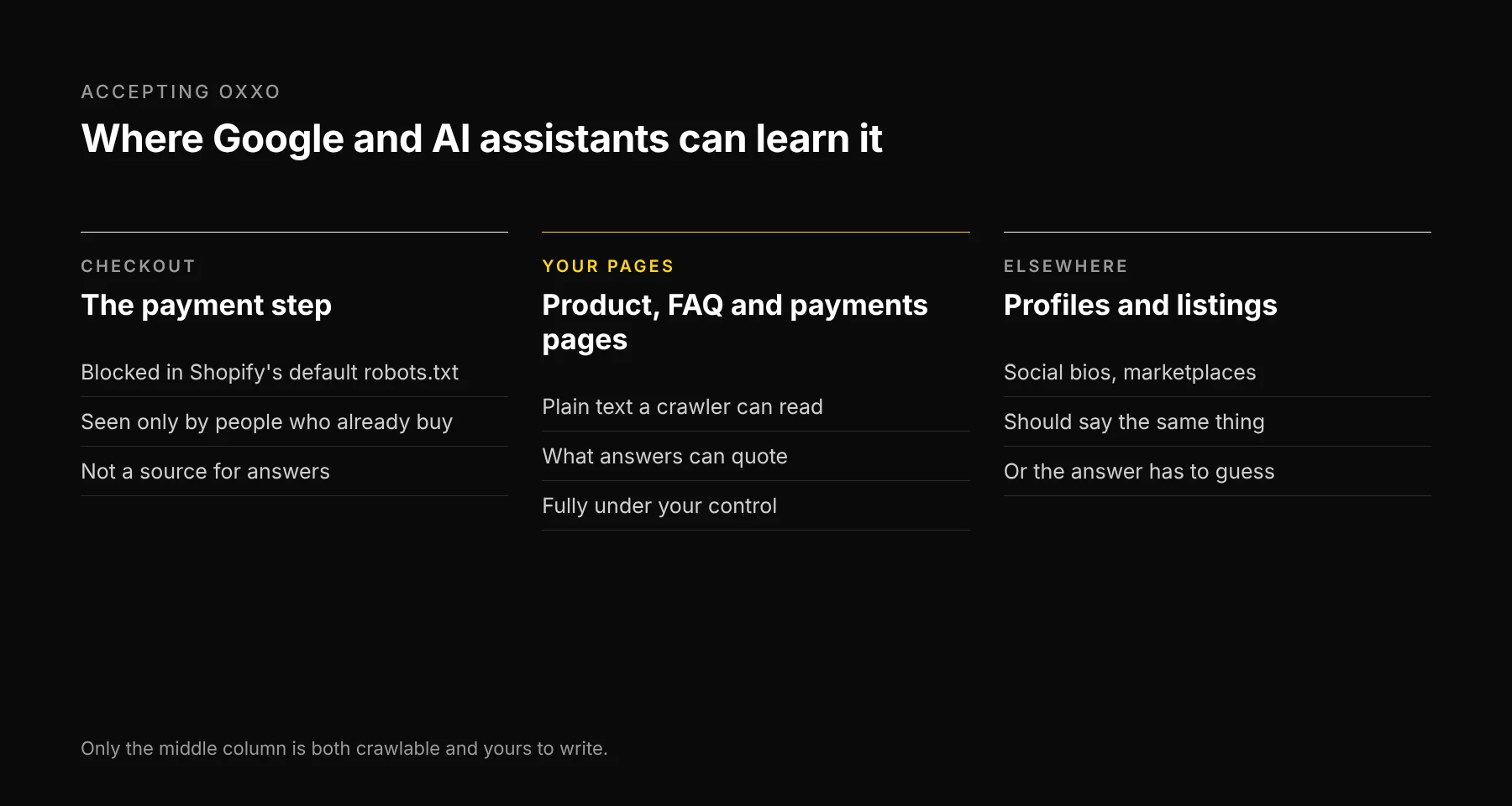
The payment step is the one place the OXXO option is certain to appear, and the one place crawlers don't go. Shopify's default robots.txt disallows /checkout and /checkouts/. That's correct for a checkout. It also means the fact you just switched on lives where no answer engine will read it.
A payment logo in the footer helps people who scroll to the bottom. A sentence in the page's text is what a crawler, and the answer built from it, can quote.
Four fixes
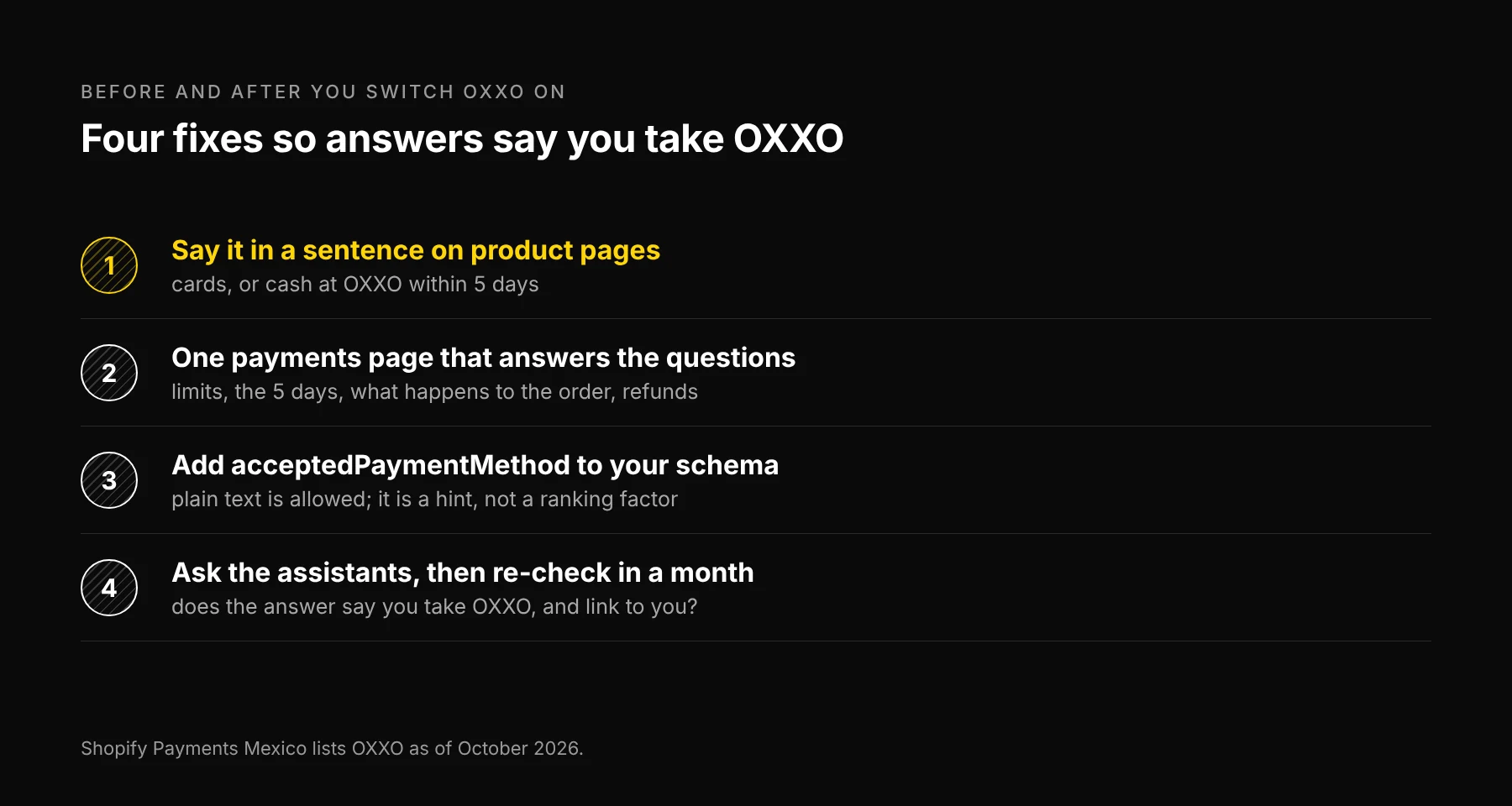
1. Say it in a sentence on product pages. Near the price or the buy button: "Pay by card, or in cash at any OXXO within 5 days." One line in the theme's product template covers every product.
2. Write one payments page. The questions an OXXO buyer has are specific: how much can I pay this way, how long do I have, when does my order ship, and how do refunds work. Shopify's rules answer all four: 10 to 10,000 MXN, a 5-day barcode, shipping once the payment is confirmed, refunds as store credit or a transfer. Put them on one page and link to it from the product line and the footer. Answer engines quote pages that answer the question in plain words.
3. Add acceptedPaymentMethod to your schema. Schema.org lets an Organization or an Offer list the payment methods it accepts, and the property takes plain text, so "OXXO" is valid. Google doesn't document using it, so treat it as a hint for any parser that reads your structured data, not as a ranking factor. Fixes 1 and 2 matter more.
4. Ask, then check again. Ask Google's AI Mode, ChatGPT and Gemini whether your store accepts OXXO, the way a customer would type it. Note whether the answer says yes and links to your page. AI answers change from run to run, so re-check in a month and look for a pattern, not one screenshot.
Make your social bios and any marketplace listings say the same thing. When your sources disagree, the answer has to pick one.
What this won't do
It won't add OXXO to a store that hasn't turned it on, and it won't change the 5-day window or the refund rules. And no page edit guarantees what an AI answer says. What it changes is the odds that the answer is right and points to you.
Frequently asked questions

Written by
Jose Antonio Mijares
SEO & GEO Expert | Founder at Ezeo